Download
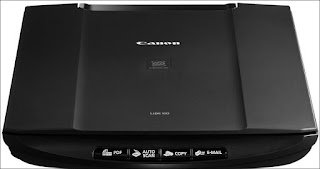
Canon CanoScan LiDE 110 Driver and Printer Software Installer Free For Windows 10/8.1/8/7/XP and Mac OS X.
Select from the list of driver required for download You can also choose your system to view only drivers compatible with your system
This compact and powerful scanner is designed to ensure real ease of use. Its automatic functions and optimized resolution guarantee the highest possible image quality while the EZ keys allow easy activation of copy, scan, scan to e-mail attachment and scan to PDF functions. It’s fast, compact and only requires a single USB cable, making it incredibly energy efficient.
|
To download |
wichtig |
File size |
||
Canon CanoScan LiDE 110 DriverForWindows
|
||||
|
Download |
CanoScan LiDE 110 Scanner Driver for (Windows 10/8.1/8/7/Vista/XP) (32bit/64bit) | 9,384KB | ||
| Download | CanoScan LiDE 110 Scanner Driver Windows 10 (32bit), Windows 10 (64bit), Windows 8.1 (32bit), Windows 8.1 (64bit), Windows 8 (32bit), Windows 8 (64bit), Windows 7 (32 bit), Windows 7 (64 bit), Windows Vista (32 bit) | 9.2MB | ||
| Download | CanoScan LiDE 110 Windows XP (64-bit) Scanner Driver | 7.9MB | ||
| Download | MP Navigator EX (Windows 10/10 x64/8.1/8.1 x64/8/8 x64/7/7 x64/Vista/Vista64/XP) | 48MB | ||
|
To download |
wichtig |
File size |
||
Canon CanoScan LiDE 110 DriverForMac OS, Linux
|
||||
|
Download |
CanoScan LiDE 110 Scanner Driver macOS 10.12 / OS X 10.11 / OS X 10.10 / OS X 10.9 / OS X 10.8 / Mac OS X 10.7 / Mac OS X 10.6 / Mac OS X 10.5 | 11MB | ||
| Download | Canon CanoScan LiDE 110 Scanner Driver for macOS 10.13./10.12/10.11/10.10/10.9/10.8/10.7/10.6/10.5 | 11MB | ||
|
Download |
CanoScan LiDE 110 ICA Driver MacOS 10.12 OS X 10.11, OS X 10.10, OS X 10.9, OS X 10.8, Mac OS X 10.7 | 7.5MB | ||
Download and installation procedures for Windows:
1. Click the link, select [ Save ], specify a value in the “Save As” window, then click [ Save ] to download the file.
Reminder:
If you select the option [ Run ] ( or [ Open ] ) rather than [ Save ] the file will be installed automatically once it has been saved.
2. The downloaded file is saved in the specified folder, in self-extracting form ( format.exe ).
3. Double-click the downloaded file (.EXE) to unzip it. The installation will start automatically.
Uninstallation Procedures:
If necessary, you can uninstall this program using the Control Panel.
Note:
The steps below apply to Windows 7. This procedure may be different for other operating systems.
1. From the Start menu, click Control Panel. Then, in Programs, click Uninstall a program.
2. A page will open, containing a list of installed programs. Double-click on the program you want to uninstall.
3. Click on “Yes”, then on “OK”. This will complete the uninstallation process.
Download and installation procedure for Mac 1. Download the file. To find out where the file is saved, check the computer settings. 2. Double-click the downloaded file and mount it on the disk image. 3. Double-click on the disk image. 4. Double-click the packaged file in the folder. The installation starts automatically.